Every version is kept
Each edit keeps the version before it. If you break something or cut too much, the old draft is still there.
Notes and tasks, on your computer and your phone. Your data stays on your own devices, and the app works offline.
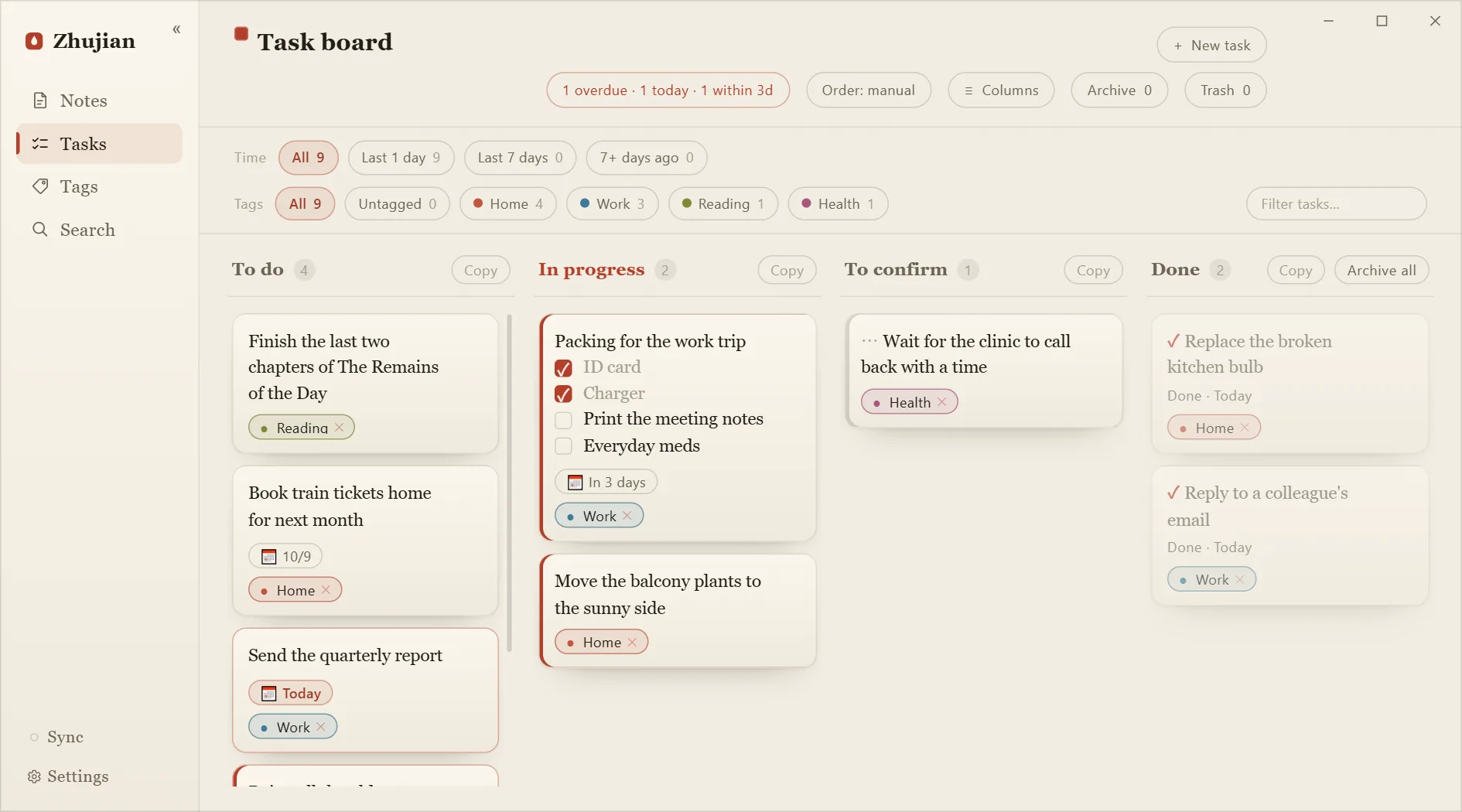
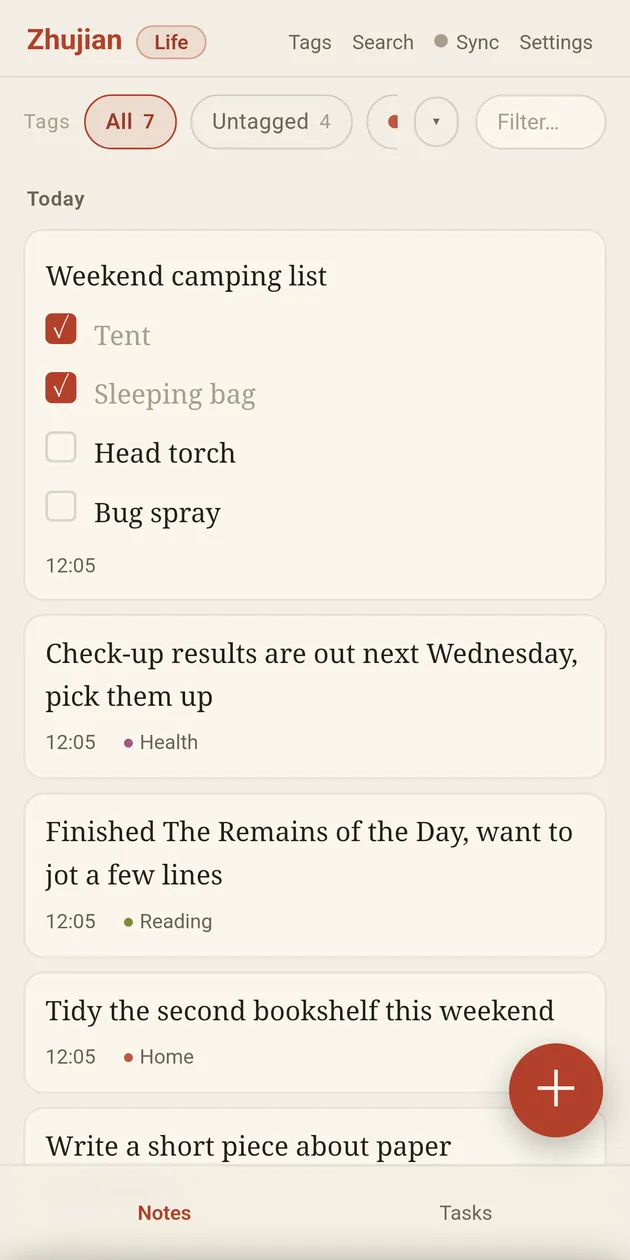
The global hotkey Ctrl+Alt+N brings up a slip. Press Enter and it's saved to Notes; the window goes away on its own. Screenshots paste straight in.
In Notes, tag it or turn it into a task. Every edit keeps the previous version, so old drafts can be recovered; deleting puts it in Trash first, and you can restore it any time.
To do, In progress, To confirm, Done. Drag tasks along; finished ones go to Archive, where you can look them up but not delete them.
Each edit keeps the version before it. If you break something or cut too much, the old draft is still there.
Restore any time. Deleting for good only happens inside Trash.
Finished tasks go to Archive, where you can look them up but not delete them. Look back and see what you got done.
Add, rename or remove them on the desktop. As many columns as your process has steps.
Each space is its own notebook, kept apart. Type /space in the slip to switch.
Every action on a card has a single key; ] and [ move it one column forward or back.
On desktop, export a whole space to Markdown in one go, images and comments included; any editor can open it.
It lives in a SQLite database on your own device and works offline. Sync is optional: text and images are encrypted on your device before they leave, so the server only ever handles ciphertext.
With sync off, builds downloaded from zhujian.app only check it for updates; store builds contact nothing at all.
No polishing, no summaries, no auto-sorting. What you write is what stays.
Windows and Android are the supported builds; once installed they check for new versions and prompt you. The HarmonyOS build is on Huawei AppGallery, which handles its updates. macOS and Linux are early builds.
Early build macOS (Apple silicon) and Linux (x86_64): unsigned, so allow them by hand on first launch; on Linux the hotkey and tray may be incomplete on some desktops. Download dmg AppImage .deb
What's new (changelog, in Chinese)
Check your download (SHA-256): Desktop Android How (in Chinese)
Desktop updates are signed by the developer and checked before installing; the Windows installer is not code-signed, so the first install warns about an “unknown publisher” — choose “More info → Run anyway” · On Windows it lives in the tray; bring it up with the hotkey · On Android, allow “unknown sources” on first install; updates also take a tap to install · Questions? Email 3069848@qq.com